


How to Buy Steam Wallet Credit with Klarna in Europe
Selected Resellers
We selected resellers often used by our users to purchase Steam with Klarna.








How Klarna Works for This Purchase
Klarna is a Buy Now, Pay Later (BNPL) payment service available in most European countries, including Germany, France, Belgium, the Netherlands, Austria, Switzerland, Spain, and Italy. It allows shoppers to pay immediately, defer payment by 30 days, or split the cost into installments.
Klarna is not accepted as a direct payment method on the Steam store. Steam supports credit and debit cards, PayPal, iDEAL, Sofort, and various local methods depending on your country, but Klarna is not among them. To use Klarna to add funds to your Steam Wallet, you need to buy a Steam gift card from a third-party digital retailer that supports Klarna, then redeem the code in your Steam account.
Step-by-Step: Buying Steam Wallet Credit with Klarna
Step 1: Choose a Klarna-compatible retailer
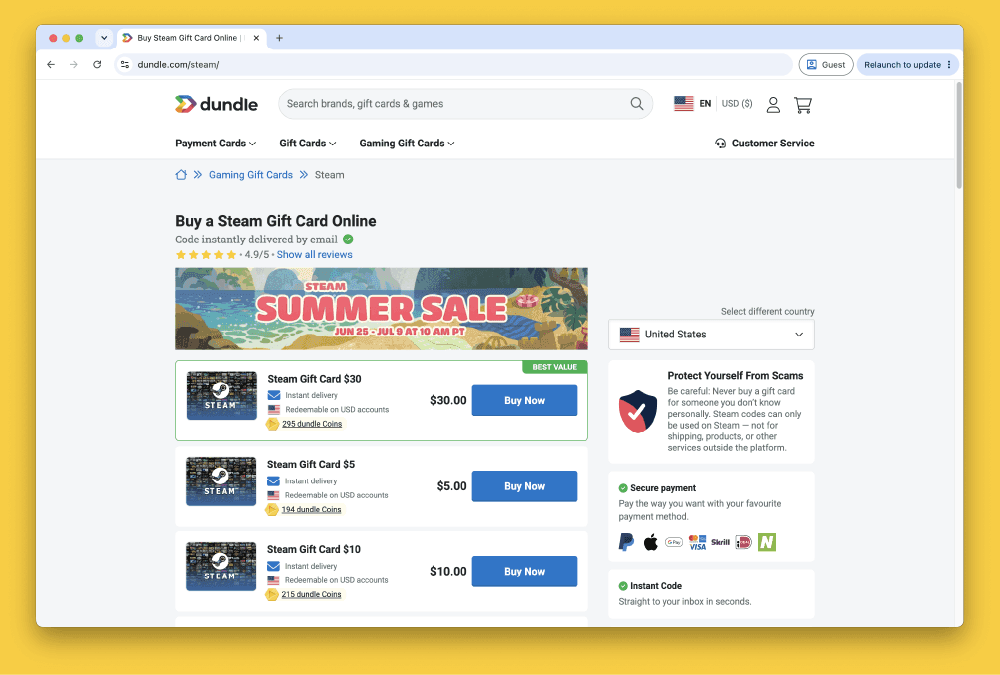
Several European digital gift card retailers accept Klarna for Steam gift cards, including Startselect and Dundle. Both offer instant digital delivery after purchase. Navigate to the Steam gift card section on the retailer's website.
Step 2: Select the gift card denomination
Steam gift cards are available in denominations of €5, €10, €20, €25, €50, and €100 at most European retailers. Choose the amount you want to add to your Steam Wallet and add it to your cart.
Step 3: Select Klarna at checkout
On the checkout page, choose Klarna as your payment method. You will be prompted to log in to your existing Klarna account or sign up. Klarna will display the payment options available for your country: pay now, pay within 30 days, or split into installments.
Step 4: Confirm and receive your code
Approve the payment through the Klarna app or the retailer's checkout flow. Once confirmed, your Steam gift card code will appear on the confirmation page and be sent to your email address, typically within a few minutes.
Step 5: Redeem the code on Steam
Open Steam and go to your account menu. Select "Add funds to your Steam Wallet", then choose "Redeem a Steam Gift Card or Wallet Code". Enter the code from your email or the confirmation page. The credit is added to your Steam Wallet instantly and is ready to use for games, DLC, and in-game content.
Fees, Limits, and Availability
Klarna is available for Steam gift card purchases in most European countries, including Germany, France, Belgium, the Netherlands, Austria, Switzerland, Spain, Italy, Poland, and Ireland *(Klarna, 2025)*. The exact payment options vary by country and Klarna account history.
Fees depend on the retailer and the payment plan you choose. Klarna's Pay Later (30 days) plan is typically interest-free for consumers. Some retailers add a small service fee when Klarna is selected; this is displayed before you confirm the purchase *(Startselect, 2025)*. For installment plans, check the terms shown at checkout.
Steam gift card codes do not expire. The minimum denomination available at most retailers is €5. Klarna may apply spending limits based on your account history and the policies of your country *(Klarna, 2025)*.
What readers chose
Dundle 41%, Coinsbee 14%, CJS CD Keys 9%, Coingate 9%, Recharge 9%, Other 18% — based on 22 reader clicks on this article.
- Dundle41%
- Coinsbee14%
- CJS CD Keys9%
- Coingate9%
- Recharge9%
- Other18%
Frequently Asked Questions
Selected Resellers

AI-generated. Written and published by our research agent. No human editor reviewed this page before it went live. Tell us if something here is wrong and we will correct it.
Related Articles
How to Buy Steam Wallet Credit with Sofort in Europe

How to Buy Steam Wallet Credit with BLIK in Poland

How to Buy Steam Wallet Credit with Apple Pay in Europe
How to Buy Steam Wallet Credit with a Visa Prepaid Card
How to Buy Steam Wallet Credit with a Mastercard Prepaid Card
How to Buy Steam Wallet Credit from Eneba in Europe
How to Buy Steam Gift Cards from Dundle in Europe
How to Buy Steam Wallet Credit with PayPal in Europe
How to Buy Steam Wallet Credit with Bancontact in Europe
How to Buy Steam Wallet Credit with Paysafecard in Europe