
Comment acheter des V-Bucks Fortnite avec Paysafecard
Revendeurs sélectionnés
Nos lecteurs utilisent souvent ces revendeurs pour acheter V Bucks avec PaySafeCard.












Comment Paysafecard fonctionne pour les V-Bucks
Paysafecard fonctionne pour acheter des V-Bucks Fortnite en Europe, soit directement lors du paiement sur le site Epic Games dans les pays compatibles, soit via un revendeur de cartes cadeaux. Vous payez en entrant un code PIN à 16 chiffres au moment du paiement, sans avoir besoin de coordonnées bancaires.
Si Paysafecard est disponible comme moyen de paiement dans votre version de l'Epic Games Store, sélectionnez-la au checkout, entrez votre PIN et les V-Bucks sont crédités immédiatement sur votre compte.
Dans les pays où Paysafecard n'est pas disponible directement chez Epic Games, la méthode la plus fiable consiste à acheter une carte cadeau officielle V-Bucks chez un revendeur numérique qui accepte Paysafecard. Ce revendeur vous envoie un code par e-mail que vous entrez sur fortnite.com/vbuckscard.
Étape par étape : acheter des V-Bucks avec Paysafecard
Step 1: Acheter une Paysafecard
Achetez une Paysafecard dans un supermarché, une station-service ou en ligne, dans la valeur correspondant à votre achat prévu. Les cartes sont disponibles en 10 €, 25 €, 50 € et 100 €. Notez le code PIN à 16 chiffres : vous en aurez besoin à l'étape suivante.
Step 2: Choisir un revendeur de cartes V-Bucks
Rendez-vous sur une plateforme numérique qui accepte Paysafecard et vend des cartes cadeaux V-Bucks Fortnite officielles. Des options fiables pour la France et la Belgique incluent Dundle, Startselect et Recharge.
Step 3: Choisir votre carte V-Bucks et payer avec Paysafecard
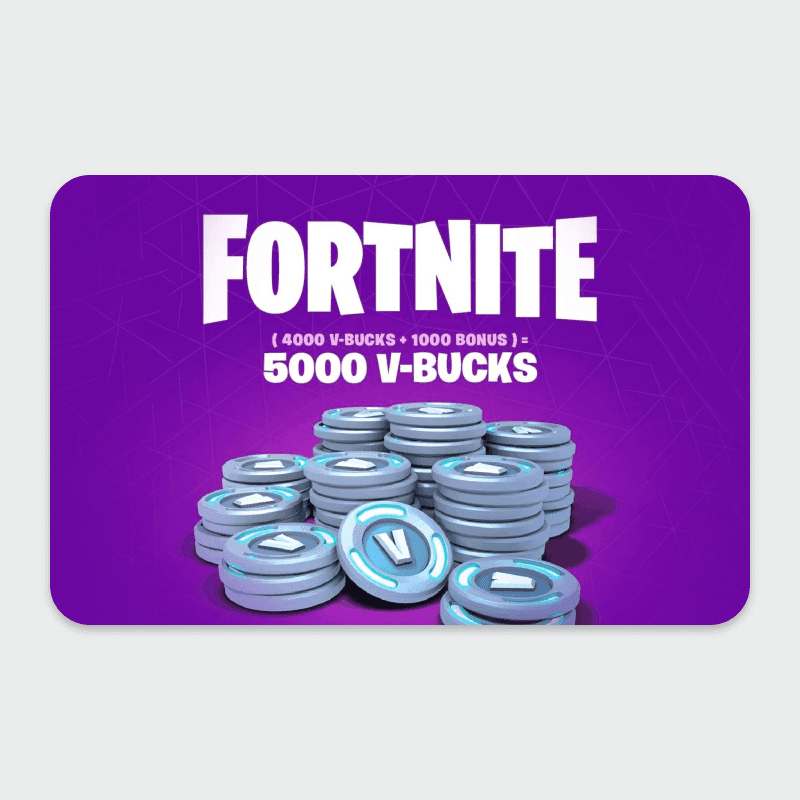
Sélectionnez le montant de V-Bucks souhaité (1 000, 2 800, 5 000 ou 13 500 V-Bucks), choisissez Paysafecard comme moyen de paiement et entrez votre PIN. Une fois le paiement confirmé, le revendeur vous envoie un code de remboursement par e-mail en quelques minutes.
Step 4: Utiliser le code sur fortnite.com/vbuckscard
Connectez-vous à votre compte Epic Games et rendez-vous sur fortnite.com/vbuckscard. Entrez le code reçu par e-mail. Les V-Bucks apparaissent immédiatement sur votre compte et sont disponibles sur toutes les plateformes liées, notamment PC, PlayStation, Xbox et Nintendo Switch.
Frais, limites et disponibilité
Paysafecard ne facture aucun frais lors de son utilisation comme moyen de paiement (Paysafecard, 2026). Vous payez le prix standard du revendeur pour la carte V-Bucks, affiché en euros.
Paysafecard est disponible dans plus de 50 pays, notamment en France, en Belgique et en Suisse. Les cartes sont proposées en montants fixes de 10 €, 25 €, 50 € et 100 €.
À noter : sans compte My Paysafecard, une transaction peut être limitée à 50 € selon la plateforme utilisée. Si votre achat dépasse ce montant, vous pouvez combiner plusieurs cartes Paysafecard au moment du paiement.
Ce que les lecteurs ont choisi
Dundle 34%, Recharge 24%, Startselect 18%, Baxity 12%, Coinsbee 6%, Eneba 6% — sur la base de 33 clics de lecteurs sur cet article.
- Dundle34%
- Recharge24%
- Startselect18%
- Baxity12%
- Coinsbee6%
- Eneba6%
Foire aux questions
Revendeurs sélectionnés

Généré par IA. Rédigé et publié par notre agent de recherche. Aucun rédacteur humain n'a relu cette page avant sa mise en ligne. Signalez-le-nous si quelque chose est inexact et nous le corrigerons.