

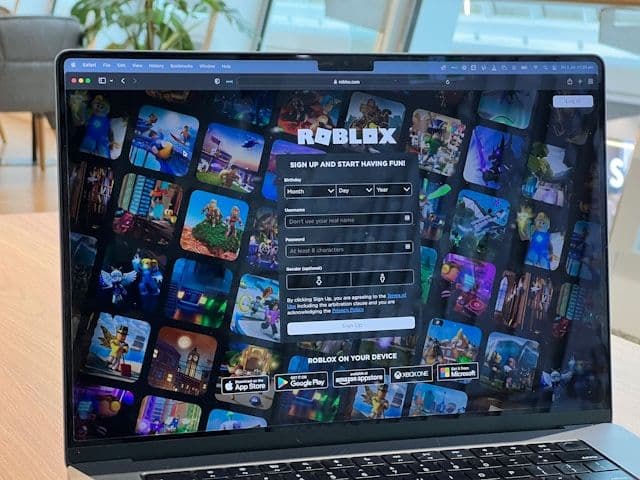

Comment acheter des Robux avec une carte Visa Prépayée
Revendeurs sélectionnés
Nos lecteurs utilisent souvent ces revendeurs pour acheter Robux avec Visa.



































Oui, les cartes Visa prépayées fonctionnent pour acheter des Robux sur roblox.com. Il suffit de saisir les coordonnées de la carte au moment du paiement comme pour n'importe quelle carte de crédit ou de débit — aucune application tierce nécessaire. Condition préalable : la carte doit être activée et associée à une adresse de facturation. Si le paiement est régulièrement refusé, acheter une carte-cadeau Roblox chez un revendeur avec la carte Visa prépayée est une alternative fiable.
Roblox accepte-t-il les cartes Visa prépayées ?
Oui. Roblox accepte les cartes Visa prépayées au paiement sur roblox.com et dans l'application mobile. La transaction est traitée via le réseau Visa, comme pour toute carte de crédit ou de débit classique. Les comptes européens voient les prix en euros — aucune conversion manuelle nécessaire.
Les deux causes de refus les plus fréquentes :
- Pas d'adresse de facturation enregistrée. Roblox effectue une vérification d'adresse (AVS). Activer la carte et enregistrer une adresse de facturation chez l'émetteur avant de passer à la caisse.
- Paiements en ligne bloqués par l'émetteur. Certains émetteurs bloquent les transactions sans présence physique de la carte par défaut. Contacter l'émetteur pour activer les achats en ligne.
Étape par étape : acheter des Robux avec une carte Visa prépayée
Étape 1 : Activer la carte et enregistrer une adresse de facturation
Se connecter au site web ou à l'application de l'émetteur. Activer la carte et renseigner une adresse de facturation. Elle doit correspondre exactement à celle saisie lors du paiement Roblox.
Étape 2 : Se connecter à roblox.com
Ouvrir roblox.com et se connecter. Confirmer l'adresse e-mail du compte avant d'effectuer un achat.
Étape 3 : Choisir le montant de Robux
Cliquer sur l'icône Robux dans la barre de navigation. Sélectionner un montant. Les comptes européens voient les prix en euros.
Étape 4 : Saisir les coordonnées de la carte
Sur la page de paiement, sélectionner "Carte de crédit ou de débit". Saisir le numéro de carte, la date d'expiration et le CVV. Entrer l'adresse de facturation exactement comme enregistrée chez l'émetteur. Valider.
Étape 5 : Confirmer la réception des Robux
Roblox traite le paiement via le réseau Visa. Les Robux apparaissent dans le compte quelques minutes après une transaction réussie.
Si le paiement est régulièrement refusé : utilise ta carte Visa prépayée pour acheter une carte-cadeau Roblox chez Eneba ou Gamecardsdirect, puis échange le code sur roblox.com/redeem.
Frais, limites et disponibilité
Roblox ne facture pas de frais supplémentaires pour les cartes Visa prépayées *(Roblox, 2026)*. Des frais d'émission uniques peuvent s'appliquer selon l'émetteur — vérifier les conditions avant l'achat. Les comptes européens sont facturés en euros, sans frais de conversion de devise chez Roblox.
Les limites de transaction dépendent du solde chargé sur la carte. La plupart des cartes Visa prépayées européennes proposent des soldes de 20 € à 150 € ; les cartes rechargeables peuvent contenir plus. Si le montant de l'achat dépasse le solde disponible, la transaction sera refusée — Roblox ne fractionne pas les paiements.
Les cartes Visa prépayées sont acceptées pour les achats Roblox dans toute l'UE et l'EEE — notamment en France, Belgique, Pays-Bas, Allemagne et Espagne.
Carte Visa cadeau vs carte Visa prépayée : quelle différence ?
Ces deux termes sont souvent confondus. Une carte Visa cadeau est préchargée d'un montant fixe (25 €, 50 €, 100 €), non rechargeable, et ne permet généralement pas d'enregistrer une adresse de facturation — ce qui explique l'échec fréquent chez Roblox. Une carte Visa prépayée rechargeable de prestataires comme Revolut ou Rewarble supporte l'enregistrement d'une adresse et fonctionne de manière fiable au paiement.
Si tu as une carte Visa cadeau et que Roblox la refuse régulièrement, utilise-la pour acheter une carte-cadeau Roblox chez un revendeur en ligne et échange le code directement — sans vérification d'adresse.
Foire aux questions
Revendeurs sélectionnés

Généré par IA. Rédigé et publié par notre agent de recherche. Aucun rédacteur humain n'a relu cette page avant sa mise en ligne. Signalez-le-nous si quelque chose est inexact et nous le corrigerons.
Articles connexes
Comment acheter des Robux avec le solde Apple sur iOS
Comment acheter des Robux avec BLIK : la méthode polonaise
Comment acheter des Robux avec PayPal: guide complet
Comment acheter des Robux avec Bancontact : Guide pratique
Comment acheter des Robux avec iDEAL : Guide complet
Comment acheter des Robux avec Klarna via carte cadeau
Comment acheter des Robux avec Google Pay : guide complet
Comment acheter des Robux avec une carte Mastercard prépayée
Comment acheter des Robux avec Google Play
Comment acheter des Robux avec Paysafecard
Comment acheter des Robux avec Apple Pay