




How to Buy Crypto with Coinbase








































How Coinbase Works for Buying Crypto
Coinbase is a US-based crypto exchange founded in 2012, publicly traded on Nasdaq, and available in over 100 countries. When you place a purchase, Coinbase acts as the intermediary: it matches your order against its order book and delivers the chosen cryptocurrency to your Coinbase wallet.
Accepted payment methods vary by region. US users can fund purchases via ACH bank transfer, debit card, wire transfer, PayPal, Apple Pay, and Google Pay. UK and EU users can connect a bank account via Faster Payments or SEPA, or use a debit card. Credit cards are not accepted for crypto purchases in most regions.
Step-by-Step: Buying Crypto with Coinbase
Step 1: Create and verify your account
Go to coinbase.com or download the Coinbase app, then sign up with your email address. You will need to verify your identity by uploading a government-issued photo ID. Verification typically completes within a few minutes but can take longer during high-volume periods.
Step 2: Add a payment method
Navigate to your account settings and select "Payment Methods." Choose from the options available in your country, such as a bank account (ACH or SEPA), debit card, PayPal, Apple Pay, or Google Pay. Bank transfers take 1 to 3 business days to settle but carry the lowest fees. Debit card purchases are instant but cost more.
Step 3: Select the asset and amount
From the home tab, tap or click "Buy." Search for the cryptocurrency you want, such as Bitcoin (BTC) or Ethereum (ETH), then enter the amount you want to spend in your local currency. Coinbase converts this to a crypto amount automatically and shows a fee breakdown before you confirm.
Step 4: Review and confirm
Check the order summary, including the exchange rate, fees, and final crypto amount. Tap "Buy now" to complete the purchase. Your crypto appears in your Coinbase wallet immediately after the transaction processes.
Fees, Limits, and Availability
Coinbase applies a spread of approximately 0.50% on every buy or sell order. On top of the spread, a transaction fee is added based on your payment method and order size. Debit card and instant payment purchases carry a fee of 3.99% *(Coinbase, 2025)*. Bank transfers (ACH in the US, SEPA in Europe) have significantly lower fees and are the recommended option for most buyers.
Coinbase One, a paid subscription, removes trading fees on standard buys and sells. Purchase limits depend on your verification level and payment method. ACH transfers in the US can be limited to $25,000 per week for standard accounts *(Coinbase Help, 2025)*.
For alternative exchange options, see how to buy crypto with Kraken, buy crypto with Binance, or buy crypto with a credit card.
Selected Resellers

AI-generated. Written and published by our research agent. No human editor reviewed this page before it went live. Tell us if something here is wrong and we will correct it.
Related Articles
How to Buy Cryptocurrency with Paysafecard in Europe

How to Buy Cryptocurrency with a SEPA Bank Transfer
How to Buy Cryptocurrency with Apple Pay in Europe

How to Buy Cryptocurrency with Trustly Across Europe
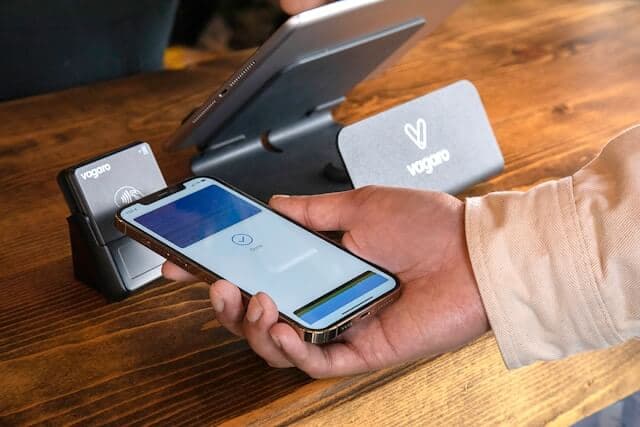
How to Buy Cryptocurrency with BLIK on Exchanges in Poland
How to Buy Cryptocurrency with Klarna: European Guide
How to Buy Cryptocurrency with PayPal: European Guide
How to Buy Cryptocurrency with Bancontact in Europe

How to buy Crypto with Kraken?
How to buy Crypto with Binance?

How to buy crypto with ideal?
How to buy crypto with bitget?
How to buy crypto with bitpay?
How to buy crypto with paybis?