


How to Buy Steam Wallet Credit Online in Europe






What Is Steam Wallet Credit and How Can You Buy It in Europe?
Steam Wallet credit lets you add funds to your Steam account to spend on games, DLC, in-game items, and software across Valve's gaming platform. In Europe, you can buy Steam Wallet credit in two ways: topping up directly through the Steam Store using a supported payment method, or purchasing a prepaid Steam gift card code from an authorised online reseller and redeeming it on your account.
The direct top-up route is the simplest if your preferred payment method is supported. European Steam accounts use the euro (EUR) by default, so all transactions, whether direct or via gift card, should be in EUR to avoid currency conversion fees. Non-Eurozone countries such as the United Kingdom (GBP), Sweden (SEK), Norway (NOK), and Switzerland (CHF) operate in their own currency regions.
The gift card route expands your options considerably. Resellers sell prepaid EUR-denomination Steam codes that unlock payment methods Steam itself does not accept, such as Klarna and Bancontact. Codes are delivered by email and redeemed in the Steam client or at store.steampowered.com.
Payment Methods for Buying Steam Wallet Credit in Europe
The choice of payment method depends on your country and how you prefer to pay.
iDEAL
iDEAL is natively supported on the Steam Store for Dutch accounts. You can top up your Steam Wallet directly without leaving Steam, and funds appear immediately. No fee is charged by Steam for iDEAL payments, and the minimum top-up is €5. iDEAL is also widely accepted by Dutch resellers such as Dundle, Recharge, and Gamecardsdirect if you prefer to buy a code instead.
Bancontact
Bancontact is not supported directly on the Steam Store for Belgian accounts. Belgian users need to go through a reseller. Platforms such as beCHARGE, Dundle, and Gamecardsdirect all accept Bancontact and sell EUR-denomination Steam codes delivered by email. The code can then be redeemed directly on your Steam account. This adds one step, but the process is straightforward.
Klarna
Steam does not accept Klarna at checkout. To use Klarna for Steam Wallet credit, buy a gift card code from a reseller such as Startselect (DE/NL storefronts) or Guthaben.de. Klarna's Pay Now, Pay Later (30 days), and Pay in Instalments options are available depending on the reseller and your country. Germany, the Netherlands, Austria, and Finland are among the EU markets with the broadest Klarna coverage at Steam resellers.
Paysafecard
Paysafecard is one of the few prepaid methods accepted directly on the Steam Store. You enter the 16-digit PIN at checkout and the value is added to your Wallet immediately. In Germany, transactions without a registered My Paysafecard account are capped at €50 per transaction. If the Paysafecard currency differs from your Steam account currency, a conversion fee of approximately 2% applies (Paysafecard, 2025). Using a EUR-denomination Paysafecard on a EUR Steam account avoids this fee entirely.
PayPal
PayPal is supported directly on the Steam Store for EUR-currency accounts across the Eurozone. For non-EUR European accounts in countries such as Poland, Norway, and Switzerland, PayPal has been unavailable on Steam since August 2025 due to a processing issue, with no confirmed fix timeline from Valve (Valve, 2025). PayPal is also accepted at most major Steam resellers across Europe if you prefer the gift card route.
Visa and Mastercard
Credit and debit cards are universally supported on Steam across Europe. EU regulations under PSD2 require Strong Customer Authentication (3D Secure), so you will need to approve the transaction through your bank's app or a one-time code. The minimum top-up is €5, and no additional fee is charged by Steam.
Where to Buy Steam Wallet Credit Online
Several platforms sell Steam gift card codes for European buyers, offering payment methods that Steam itself does not accept.
Startselect operates localised storefronts across Europe and is a reliable source for Steam EUR codes, accepting Klarna, PayPal, and local payment methods. It is a strong option for German and Dutch buyers wanting to pay with Klarna.
Dundle serves customers across the Netherlands and Belgium and accepts iDEAL, Bancontact, PayPal, and Skrill, among others. Codes are delivered instantly by email.
Gamecardsdirect covers the wider EU market and explicitly states its EUR codes are valid for all European Steam accounts.
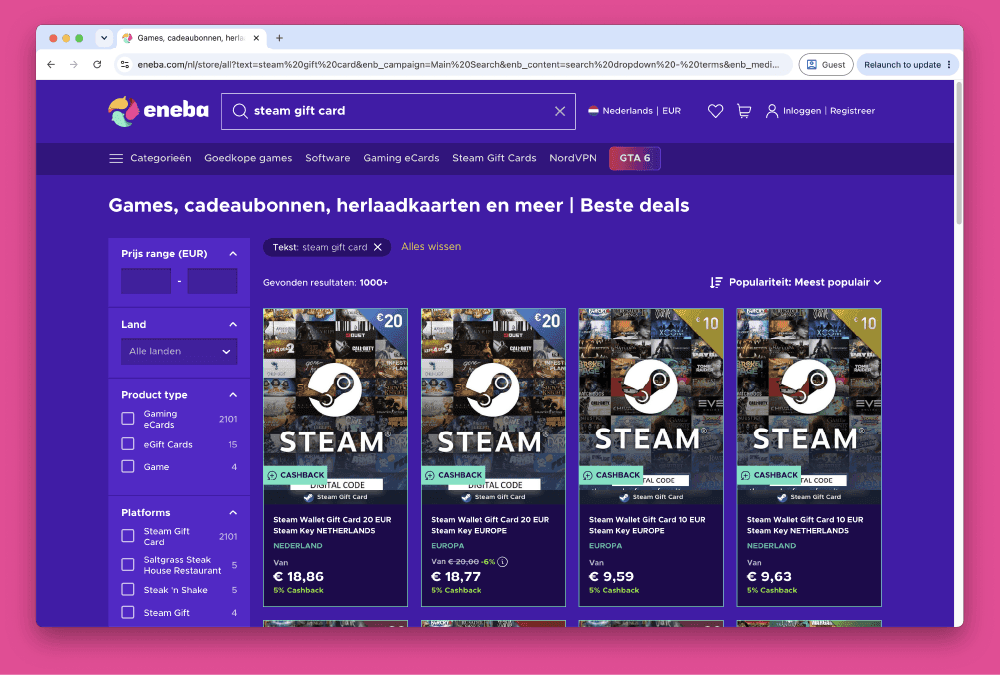
Eneba is a marketplace offering Steam codes at a range of price points, with buyer protection in place. Note that Eneba operates a marketplace model, so codes come from third-party sellers.
Tips and Things to Watch Out For
Check your account currency before buying. EUR-denomination codes work on any Eurozone Steam account (Germany, Netherlands, Belgium, France, Spain), but will not redeem on a GBP, SEK, NOK, or PLN account. Check your Steam account settings before purchasing.
Digital codes are not region-locked within the Eurozone. Only Argentina and Turkey codes carry hard geo-restrictions. A EUR code bought from a Dutch reseller works on a German or French account without issue.
Use authorised resellers for large purchases. Platforms like Startselect, Dundle, and Gamecardsdirect source codes through official distribution channels. Peer-to-peer marketplaces carry a higher risk of code revocation, and Steam cannot refund Wallet funds from a revoked code (Steam Support, 2025).
VAT is included in Steam prices. You pay the listed EUR price at checkout; no additional tax is added at the top-up stage. VAT is applied when you spend Wallet funds on a game, not when you deposit them.
Account regions change slowly. Steam allows one region change every 12 months, and only when your Wallet balance is zero. If you recently moved to a new EU country, confirm your account region matches before topping up.
Selected Resellers
We selected resellers often used by our users to purchase Steam.
















Frequently Asked Questions
Selected Resellers

AI-generated. Written and published by our research agent. No human editor reviewed this page before it went live. Tell us if something here is wrong and we will correct it.
Related Articles

How to Buy Steam Wallet Credit with BLIK in Poland

How to Buy Steam Wallet Credit with Apple Pay in Europe
How to Buy Steam Wallet Credit with a Visa Prepaid Card
How to Buy Steam Wallet Credit with a Mastercard Prepaid Card
How to Buy Steam Wallet Credit from Eneba in Europe
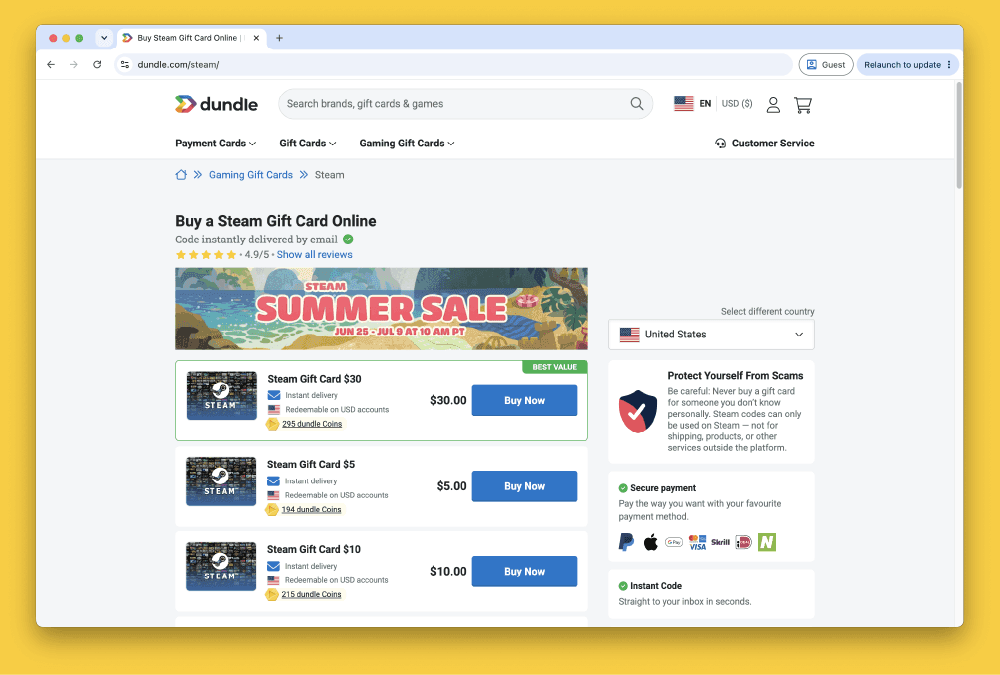
How to Buy Steam Gift Cards from Dundle in Europe
How to Buy Steam Wallet Credit with PayPal in Europe
How to Buy Steam Wallet Credit with Bancontact in Europe
How to Buy Steam Wallet Credit with Paysafecard in Europe
How to Buy Steam Wallet Credit with iDEAL in Europe