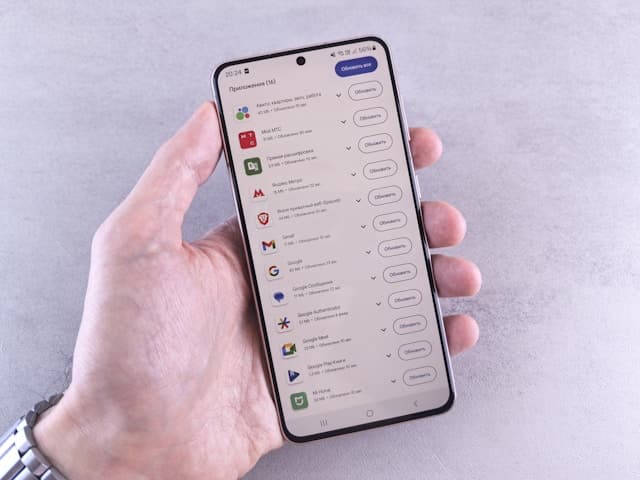


How to Buy Google Play Credit with Revolut in Europe
Selected Resellers
We selected resellers often used by our users to purchase Google Play with Revolut.



How Revolut Works for Google Play Purchases
Revolut is a European fintech app that issues Visa and Mastercard debit cards, both physical and virtual, to customers across the EU and EEA. These cards work as standard debit cards wherever Visa and Mastercard are accepted online, including the Google Play Store. You can add a Revolut card to your Google account and use it directly for app purchases, game top-ups, subscriptions, and Google Play balance top-ups.
The alternative route, and often the preferred one for users who do not want to link a card to their Google account, is to buy a Google Play gift card from a reseller using Revolut at checkout. The reseller delivers a digital code by email and you redeem it in Google Play for credit. Both routes work reliably for users in Germany, France, the Netherlands, Belgium, and across most of Europe.
Step-by-Step: Buying Google Play Credit with Revolut
Two methods are described below: adding your Revolut card directly to Google Play, or purchasing a gift card at a reseller. The direct method is faster; the gift card route is useful if you prefer not to store card details in your Google account.
Step 1: Open the Google Play Store
On your Android device, tap your profile icon in the top-right corner of the Google Play Store. Go to Payments and subscriptions, then Payment methods.
Step 2: Add Your Revolut Card to Your Google Account
Select Add credit or debit card and enter your Revolut card details: card number, expiry date, and CVV. Google will send a small temporary authorisation charge that is reversed within a few days. Complete any 3D Secure verification prompted by Revolut.
Step 3: Buy Google Play Credit Directly
Return to Payment methods and tap Buy Google Play credit. Choose your desired amount, confirm the Revolut card as payment method, and finalise the purchase. The credit is added to your balance immediately.
Step 4: (Alternative) Buy a Google Play Gift Card at a Reseller
If you prefer not to link your card to Google, buy a Google Play gift card at a reseller using your Revolut card. These platforms accept Revolut (Mastercard/Visa) at checkout and deliver the code by email within minutes:
Step 5: Redeem the Gift Card Code
Open Google Play, go to Payments and subscriptions, then Redeem gift code. Enter the code exactly as shown in your email. The credit is added to your Google Play balance straight away.
Fees, Limits, and Availability
Revolut charges no fee for card payments in euros (Revolut, 2026). If your Google Play account currency differs from euros, a 1% exchange markup applies on weekends. Creating and using virtual Revolut cards costs nothing on any plan.
Google Play accepts Revolut Mastercard and Visa cards across EU and EEA markets including Germany, France, Belgium, the Netherlands, Spain, and Austria. If your card is declined at Google Play checkout, confirm that 3D Secure is enabled in your Revolut app under Security settings, and that your account holds sufficient balance.
Frequently Asked Questions
Selected Resellers

AI-generated. Written and published by our research agent. No human editor reviewed this page before it went live. Tell us if something here is wrong and we will correct it.
Related Articles

How to Buy Google Play Credit with a Neosurf Voucher
How to Buy Google Play Credit with BLIK in Poland
How to Buy Google Play Credit with Eneba in Europe
How to Buy Google Play Credit with Paysafecard in Europe

How to Buy Google Play Credit with iDEAL
How to Buy Google Play Credit with Bancontact
How to Buy Google Play Credit with PayPal

How to Buy Google Play Credit with Klarna
How to Buy Google Play Credit with Skrill

How to buy Google Play with bank?

How to buy Google Play with Sofort?