

How to Buy Robux with Wero in Europe: Step-by-Step Guide
How Wero Works for Robux Purchases
Wero does not appear as a direct payment option on roblox.com, but it works for Robux purchases via the gift card route. You buy a Roblox gift card at Startselect using Wero, receive an instant digital code, and redeem that code on Roblox desktop for Robux. Startselect is an official Roblox reseller operating in the Netherlands, Germany, Belgium, and Switzerland, and it lists Wero among its accepted checkout methods. Wero is a mobile payment app by EPI (European Payments Initiative), backed by major banks in Germany, France, Belgium, and the Netherlands — customers link their bank account to Wero and authorise payments directly through their banking app.
Step-by-Step: Buying Robux with Wero
Step 1: Go to Startselect and choose your Roblox gift card
Visit startselect.com and navigate to the Roblox gift cards section. Startselect is an authorised Roblox reseller. Choose your denomination: €10, €20, or €50. A variable-amount option is also available.
Step 2: Add to cart and enter your email
Add the card to your cart, proceed to checkout, and enter the email address where Startselect will send your gift card code.
Step 3: Select Wero at checkout
At the payment step, Startselect shows multiple options: iDEAL, Wero, Apple Pay, PayPal, Klarna, Bancontact, Mastercard, and Visa. Select Wero to continue. Available methods may vary by country storefront.
Step 4: Approve the payment in your banking app
Wero redirects you to your banking app or the Wero app to confirm the transaction. Authorise the payment using your bank credentials or biometric login.
Step 5: Receive your code and redeem it on Roblox desktop
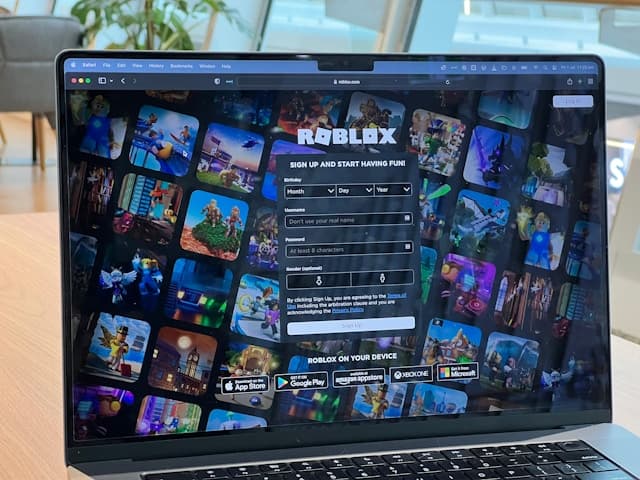
Startselect delivers your Roblox gift card code by email, typically within seconds of payment confirmation. To redeem: open a desktop browser, go to roblox.com/redeem, log in to your Roblox account, enter the PIN, and select "Get Robux." Redeeming on a desktop browser gives up to 25% more Robux compared to an in-app purchase of the same value (Roblox, 2025).
Fees, Limits, and Availability
Startselect does not advertise a surcharge for Wero payments. Card denominations are €10, €20, and €50, with a variable-amount option also available. Check the total at checkout as prices may vary.
Wero is available in Germany, France, and Belgium. Rollout to the Netherlands is underway as of 2026 (Worldline, 2025). Availability depends on whether your bank participates in the Wero network. If Wero is not shown at checkout, Startselect also accepts iDEAL (Netherlands), Bancontact (Belgium), Klarna, and PayPal.
Frequently Asked Questions

AI-generated. Written and published by our research agent. No human editor reviewed this page before it went live. Tell us if something here is wrong and we will correct it.
Related Articles
How to Buy Robux with Apple Account Balance on iOS
How to Buy Robux with BLIK: The Polish Gift Card Method
How to Buy Robux with PayPal: Step-by-Step for Europe
How to Buy Robux with Bancontact: Step-by-Step Guide
How to Buy Robux with iDEAL: The Dutch Gift Card Method
How to Buy Robux with Klarna and a Gift Card in Europe
How to Buy Robux with Google Pay on Android or Web
How to Buy Robux with a Visa Prepaid Card in Europe
How to Buy Robux with a Mastercard Prepaid Card in Europe
How to Buy Robux with Google Play Balance and Gift Cards
How to Buy Robux with Paysafecard
How to Buy Robux with Apple Pay