



How to Buy Robux with Paysafecard
Selected Resellers
We selected resellers often used by our users to purchase Robux with PaySafeCard.














In most European countries, Paysafecard is not accepted directly at the Roblox checkout. The method that works: buy a Roblox gift card from a reseller (such as Dundle or Startselect) using your Paysafecard, then redeem the code on roblox.com. Your Robux are credited within minutes. Direct Paysafecard checkout at Roblox exists in a limited number of markets — if you are in the EU, use the gift card route.
Step-by-Step Guide
Step 1: Purchase a Paysafecard
Before you can buy Robux, you'll need a Paysafecard. You can purchase one online or at a local sales outlet. **Visit the Paysafecard website to buy online** or use their store locator to find a nearby retailer.
Step 2: Log into Your Roblox Account
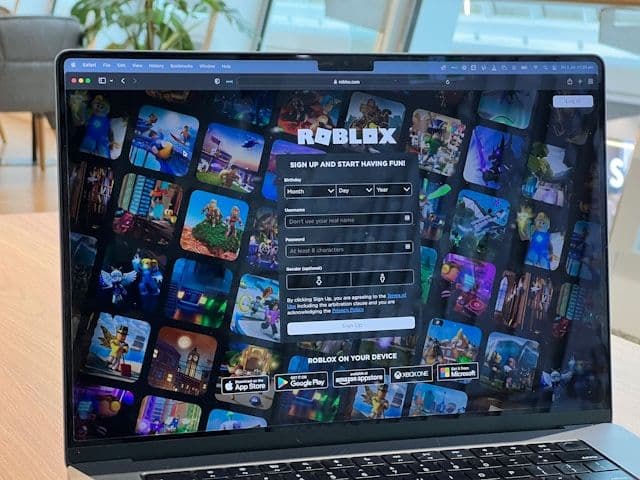
Head over to the Roblox website and log into your account. Ensure you're using a secure connection to protect your login details. If you don't have an account yet, you'll need to create one to proceed with the purchase.
Step 3: Access the Robux Purchase Page
Once logged in, navigate to the Robux section by clicking on the Robux button at the top of the menu. Here, you’ll see different Robux packages available for purchase.
Step 4: Choose Your Robux Package
Select the Robux package that matches the value of your Paysafecard. Make sure you have enough credit on your Paysafecard to cover the package cost. If your Paysafecard balance is less than the package price, you'll need to purchase an additional card or choose a smaller package.
Step 5: Select Paysafecard as Your Payment Method
After choosing your package, proceed to the checkout page and select Paysafecard as your preferred payment method. This option allows you to use the prepaid code from your Paysafecard to complete the purchase.
Step 6: Enter Your Paysafecard Details
Enter the 16-digit PIN from your Paysafecard when prompted. Double-check the number to avoid errors that could delay your purchase. Once entered, confirm the transaction.
Step 7: Complete the Transaction
Follow any additional prompts to complete your purchase. Once successful, the Robux will be immediately credited to your Roblox account, ready for use in your favorite games.
Tips & Best Practices
- **Check your balance:** Before purchasing Robux, ensure your Paysafecard has enough balance. You can quickly check your Paysafecard balance.
- Keep your PIN secure: Treat your Paysafecard PIN like cash. Do not share it with anyone to prevent unauthorized use.
- Avoid common mistakes: Ensure you're logged into the correct Roblox account before purchasing to avoid issues with Robux credits.
- Security first: Always use a secure internet connection when entering your Paysafecard details to protect your information from phishing attempts.
Conclusion
Buying Robux with a Paysafecard is a convenient and secure way to enhance your Roblox experience without using a credit card. By following the steps outlined above, you can quickly and easily purchase Robux and dive right back into your games. Start by grabbing a Paysafecard, log in to Roblox, and enjoy your new Robux today. If you found this guide helpful, share it with fellow gamers who might also benefit from a simple and secure way to buy Robux!
What readers chose
Dundle 36%, Coinsbee 24%, Baxity 12%, Eneba 12%, G2A 9%, Other 7% — based on 42 reader clicks on this article.
- Dundle36%
- Coinsbee24%
- Baxity12%
- Eneba12%
- G2A9%
- Other7%
Frequently Asked Questions
Selected Resellers

AI-generated. Written and published by our research agent. No human editor reviewed this page before it went live. Tell us if something here is wrong and we will correct it.
Related Articles
How to Buy Robux with BLIK: The Polish Gift Card Method
How to Buy Robux with PayPal: Step-by-Step for Europe
How to Buy Robux with Bancontact: Step-by-Step Guide

How to Buy Robux with iDEAL: The Dutch Gift Card Method
How to Buy Robux with Klarna and a Gift Card in Europe
How to Buy Robux with Google Pay on Android or Web
How to Buy Robux with a Visa Prepaid Card in Europe
How to Buy Robux with a Mastercard Prepaid Card in Europe
How to Buy Robux with Google Play Balance and Gift Cards
How to Buy Robux with Apple Pay