


How to Buy Robux with Google Pay on Android or Web


















How Google Pay Works for Robux Purchases
Google Pay does not appear as a standalone payment button on the Roblox website checkout page. For European users, the most reliable way to use Google Pay to buy Robux is to purchase a Roblox gift card from a third-party retailer using Google Pay, then redeem the code on roblox.com.
A second route is available on Android: the Roblox app can route purchases through the Google Play Store billing screen, where payment methods linked to your Google account, including Google Pay-linked cards, are accepted. This path is not always consistent. In some cases the Roblox Android app redirects to an external browser checkout instead of the Google Play billing screen, and your Google Play balance cannot be used from the external page. This routing issue has been reported as a known bug. *(Roblox Developer Forum, 2026)*
Step-by-Step: Buying Robux with Google Pay
The steps below cover the gift card route, which works across all European countries and avoids the mobile price premium.
Step 1: Choose a Roblox Gift Card Retailer
Open a digital gift card store that accepts Google Pay at checkout. Dundle and Eneba both sell Roblox gift cards and support Google Pay as a payment method.
Step 2: Select a Gift Card Value and Pay with Google Pay
Pick a gift card denomination that covers the Robux package you want to buy. At checkout, select Google Pay and authenticate the payment. You will receive the gift card code by email or on-screen.
Step 3: Redeem the Gift Card on Roblox
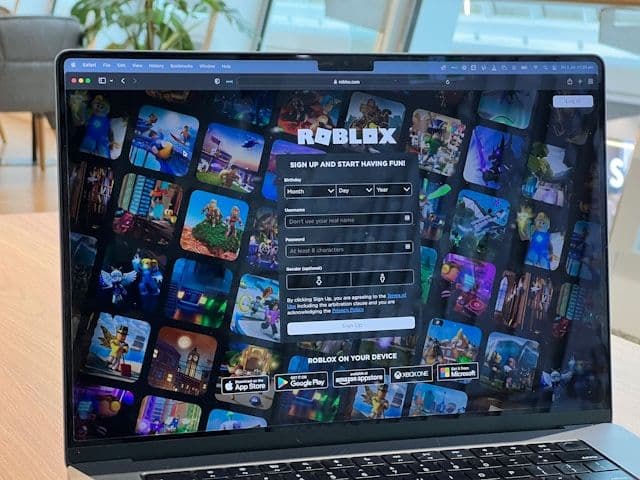
Go to roblox.com/redeem and sign in to your account. Enter the code from your gift card. The credit is added to your Roblox account balance immediately.
Step 4: Buy Robux with Your Balance
Visit roblox.com/robux while logged in, select the Robux package you want, and complete the purchase using your Roblox account balance. Prices are shown in EUR for Eurozone accounts. Robux are added to your account as soon as the payment is confirmed.
Fees, Limits, and Availability
Google Pay does not charge a fee for in-app or online purchases. *(Google, 2025)* When buying Robux through the Roblox Android app instead of the website, Google Play Store fees are factored into Roblox mobile prices. As of November 2024, the Roblox website gives approximately 25% more Robux for the same spend compared to the Android app. *(Roblox, 2024)*
There is no spending limit set by Google Pay for online purchases. Any limits come from your linked card or bank. Google Pay (via Google Wallet) is available across most of Europe, including the Netherlands, Germany, Belgium, France, Spain, and Austria. *(Google, 2025)*
What readers chose
Dundle 57%, Eneba 37%, Bitpay 3%, Bitrefill 3% — based on 35 reader clicks on this article.
- Dundle57%
- Eneba37%
- Bitpay3%
- Bitrefill3%
Frequently Asked Questions
Selected Resellers

AI-generated. Written and published by our research agent. No human editor reviewed this page before it went live. Tell us if something here is wrong and we will correct it.
Related Articles
How to Buy Robux with Apple Account Balance on iOS
How to Buy Robux with BLIK: The Polish Gift Card Method
How to Buy Robux with PayPal: Step-by-Step for Europe
How to Buy Robux with Bancontact: Step-by-Step Guide
How to Buy Robux with iDEAL: The Dutch Gift Card Method
How to Buy Robux with Klarna and a Gift Card in Europe
How to Buy Robux with a Visa Prepaid Card in Europe
How to Buy Robux with a Mastercard Prepaid Card in Europe
How to Buy Robux with Google Play Balance and Gift Cards
How to Buy Robux with Paysafecard
How to Buy Robux with Apple Pay